E-commerce storefront

Fusen Gum Shop

An e-commerce site for Fusen Gum, the nostalgic Japanese-style bubble gum. I took a full-stack store template, ran my own copy of its API and database, and rebuilt the brand, catalog structure and copy around gum and apparel.

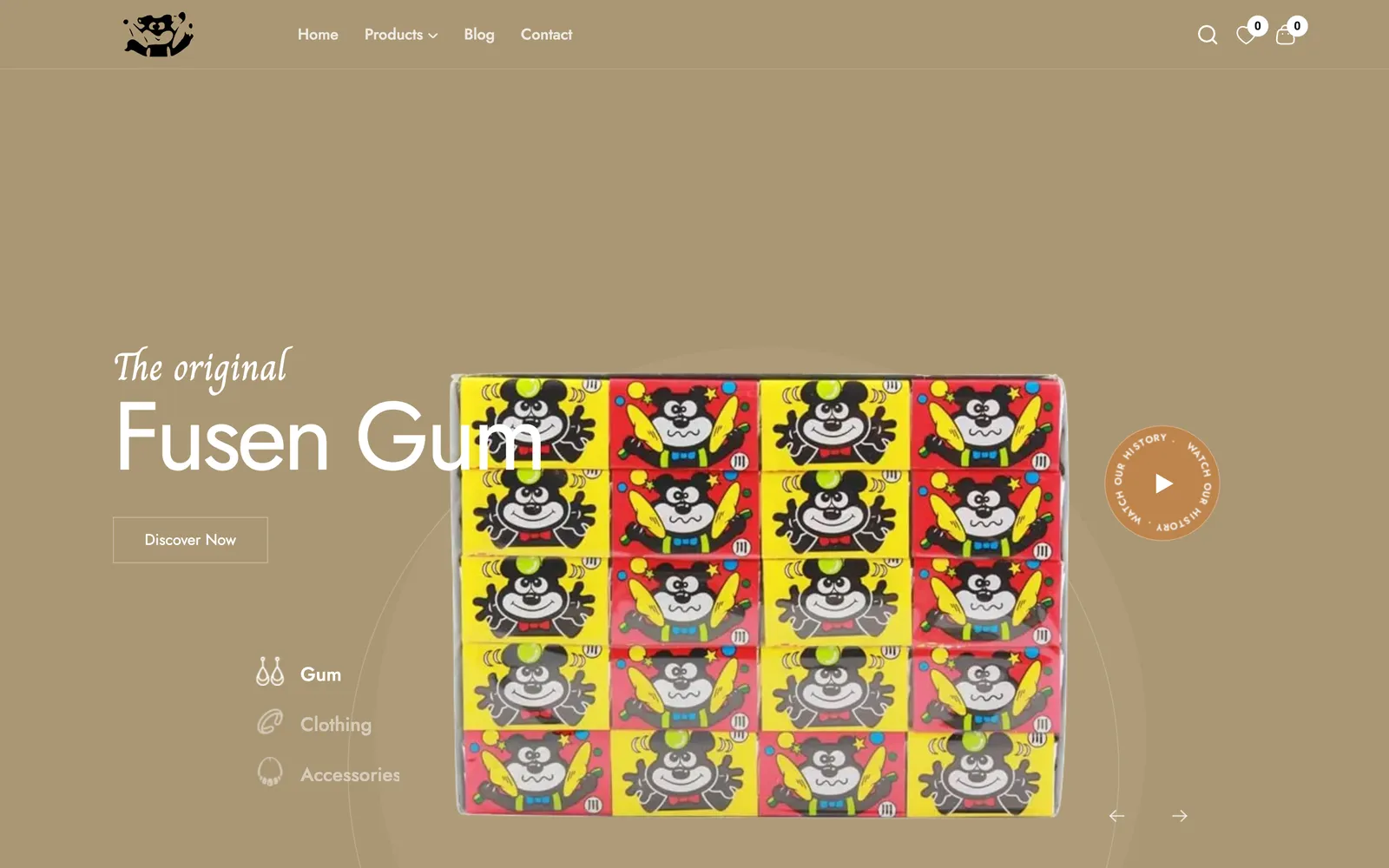
Fusen Gum shop home page: bear logo, navigation and a hero slide reading The original Fusen Gum over a box of bear-wrapper gum

The challenge

Fusen Gum needed an online store that could sell more than gum. The catalog I mapped out puts the bubble gum next to bear-mascot T-shirts, hoodies, socks, stickers and banners, and the shop needed accounts, a cart and card payments for all of it.

Rather than build auth, checkout and an admin from scratch, I started from the Shofy full-stack template and put the time into making it Fusen's.

The approach

The template ships as two apps: a Next.js storefront and an Express and MongoDB API. I deployed my own copy of the API, pointed it at a new MongoDB database, seeded Fusen's categories and first products, and repointed every RTK Query endpoint in the storefront from the template's demo server to mine.

On the front end I replaced the logo, favicon and hero slides with Fusen artwork, rebuilt the products mega menu around Gum, Clothing and Extras, cut the template's demo homes, coupon and extra blog layouts from the navigation, and rewrote the banners, page titles, footer and contact details for the brand.

  • Brand-led heroFour slides built from Fusen's own artwork: the gum box, the bear T-shirt, wrapper art and the hoodie.
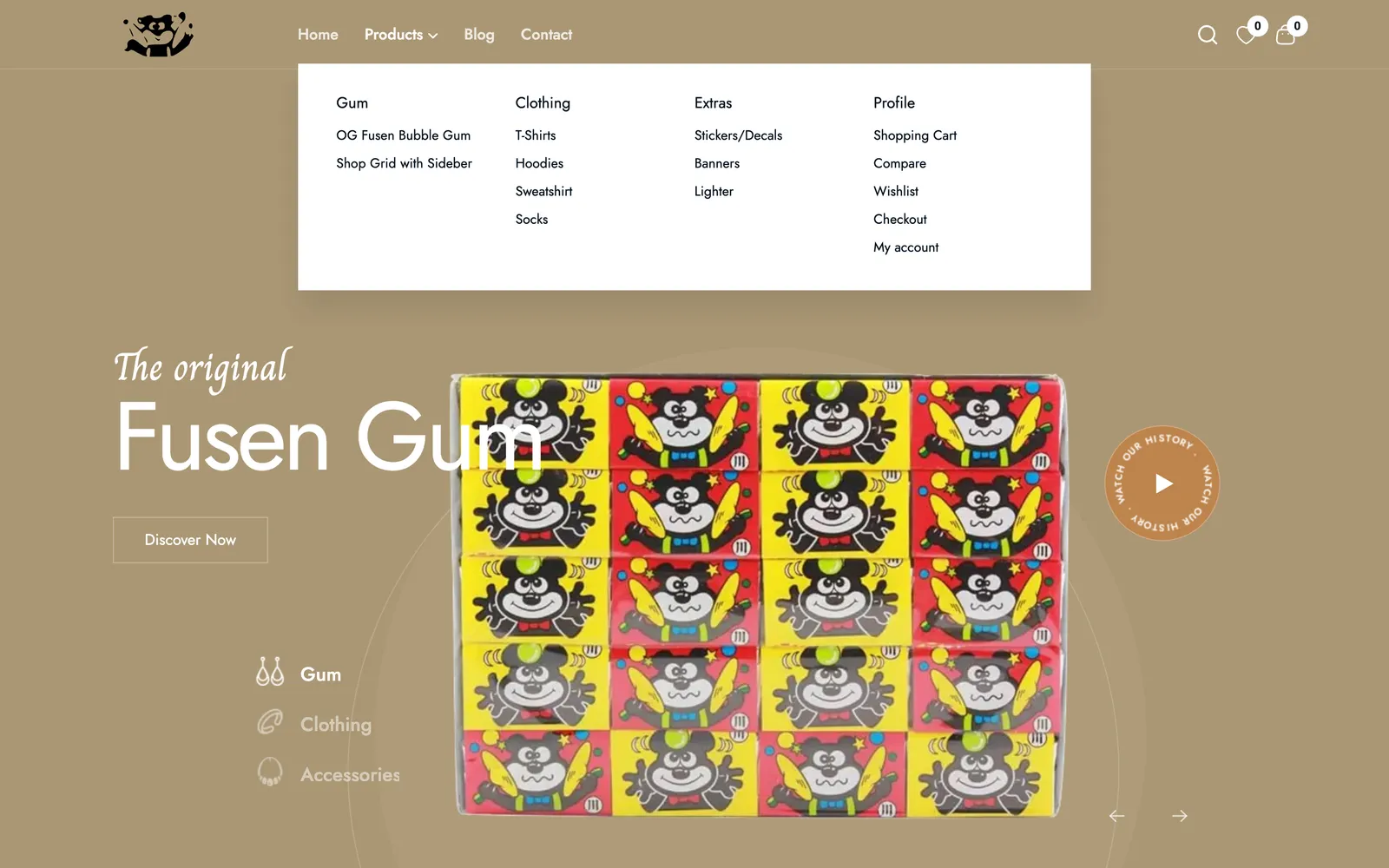
  • Catalog by categoryGum, Clothing and Extras menus with T-shirts, hoodies, stickers and more, backed by seeded MongoDB categories.
  • Accounts and ordersEmail signup with an activation link, Google sign-in, profile and order history from the template's API.
  • Stripe checkoutCard payments through a Stripe PaymentIntent created by the API and confirmed in the browser.

Template to Fusen store

  1. 01DeployOwn Express API and MongoDB
  2. 02SeedFusen categories and products
  3. 03RebrandLogo, slides, menus, copy
  4. 04ConnectStorefront endpoints to my API
Gum first, then apparel.

The products menu is organized the way the brand sells: gum, clothing and extras, with the cart, wishlist and account pages under Profile.

Products mega menu open with Gum, Clothing, Extras and Profile columns over the Fusen Gum hero

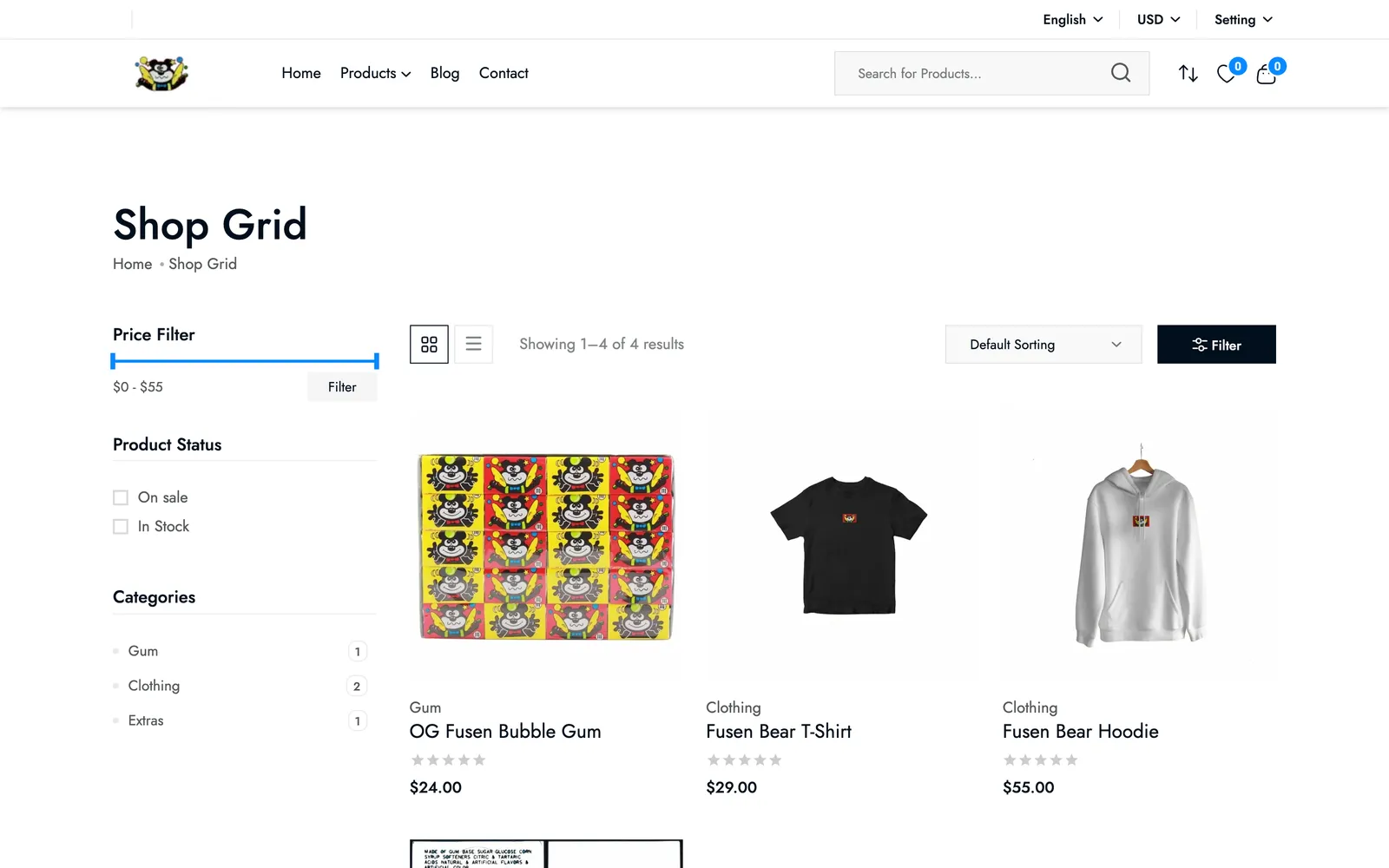
One shop for everything.

The shop grid filters by price, stock and category, so gum boxes and hoodies sit in the same catalog.

Shop grid with category filters for Gum, Clothing and Extras and product cards for gum, a T-shirt and a hoodie

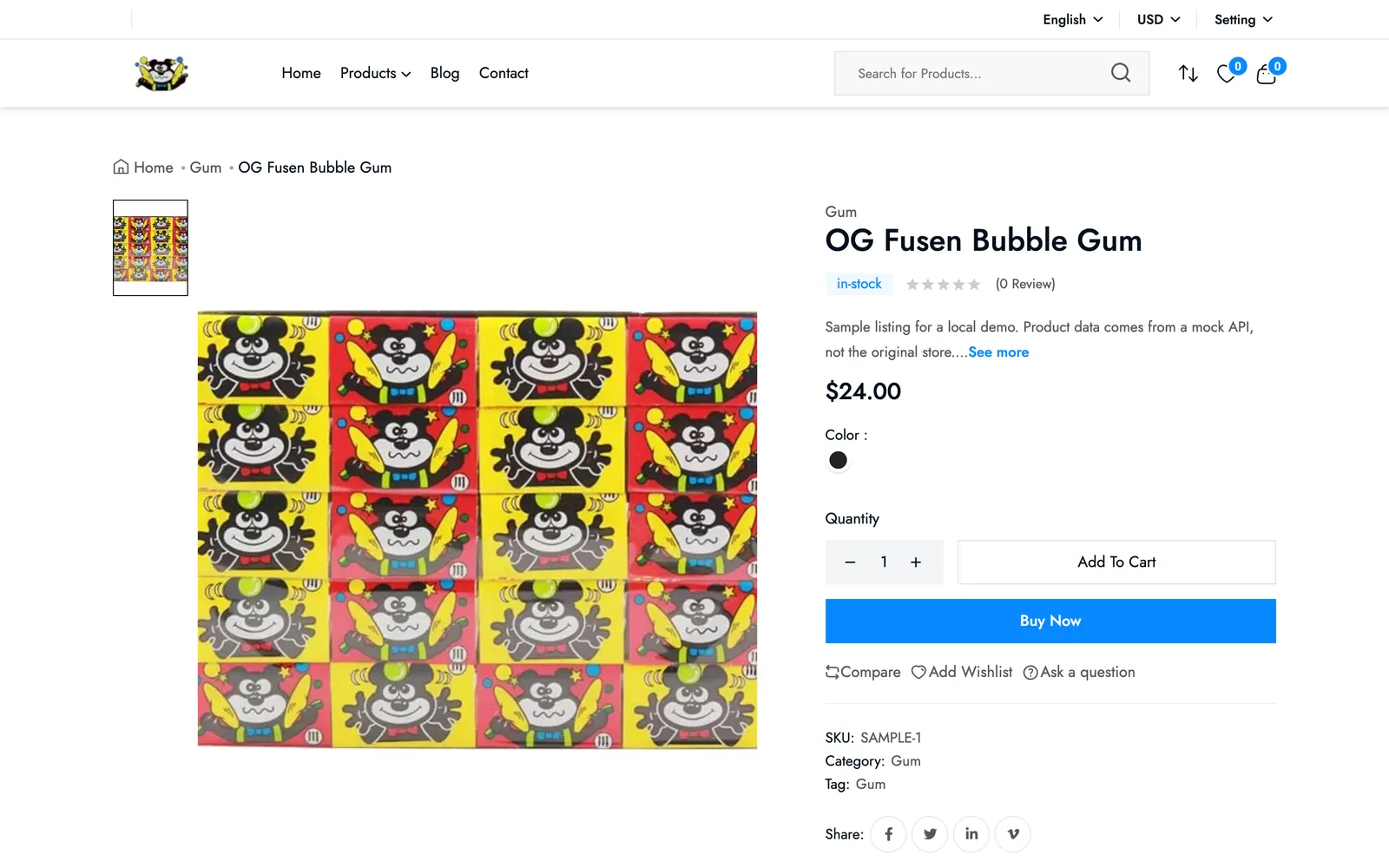
A product page with checkout built in.

Each product page has a gallery, stock status, quantity, add to cart and buy now, all driven by the API.

Product page for OG Fusen Bubble Gum with image, price, quantity selector and Add To Cart and Buy Now buttons

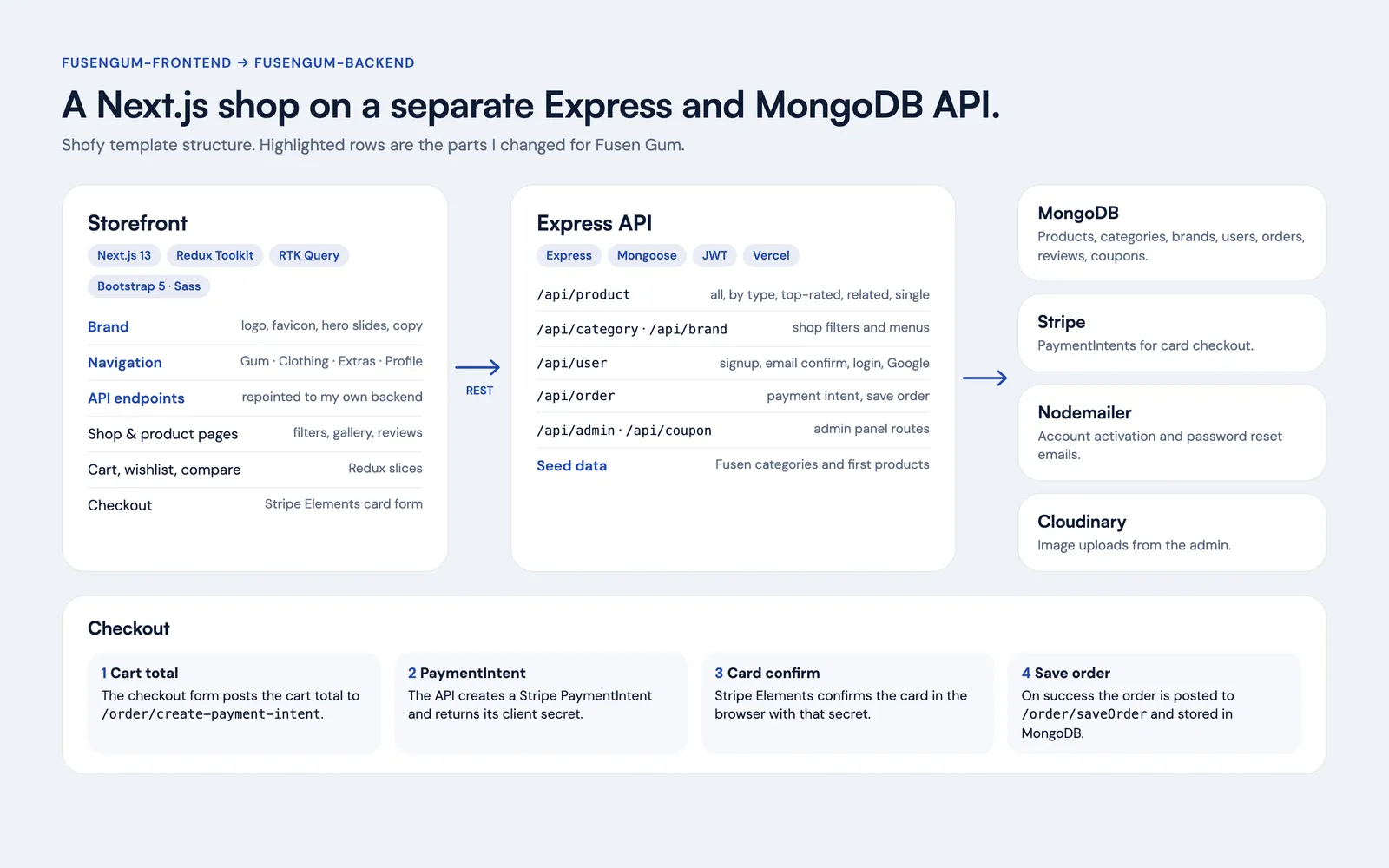
Two apps, my own backend.

The storefront talks to a separate Express API over REST. Checkout creates a Stripe PaymentIntent on the server, confirms the card in the browser, then saves the order to MongoDB.

Diagram: Next.js storefront calls an Express and MongoDB API with Stripe, Nodemailer and Cloudinary, plus a four-step checkout flow

Tools

  • Next.js
  • React
  • Redux Toolkit
  • RTK Query
  • Express
  • MongoDB
  • Stripe
  • Bootstrap 5 · Sass

Built in September 2023 on the Shofy Jewelry full-stack e-commerce template (Next.js storefront, Express and MongoDB API); the design and core features are the template's. I deployed and connected the backend, seeded the catalog and rebranded the storefront for Fusen Gum. fusengum.com is offline and the API no longer returns data, so screenshots come from a local run of the storefront against a mock API; product artwork is from the repo, product names follow its menu, and prices are placeholders.

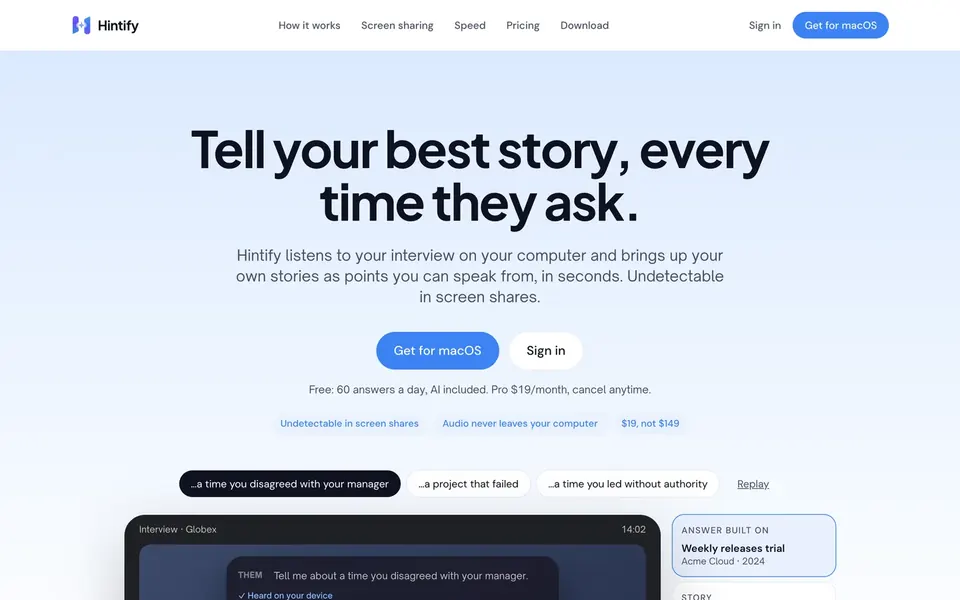
Next projectHintifyHintify landing page with a live demo of the AI overlay answering an interview question